

Corso AI
AI that actually helps you (and your customers!)
Five AI systems live across the platform: a conversational assistant that answers questions about your data, fraud detection that scores every claim against network-wide patterns, receipt processing that turns registration into scan-and-confirm, exchange recommendations trained on your store's history, and A/B testing tools for checkout decisions. Each one is custom-engineered, built for the workflows you already use.
Conversational AI with Sidekick
Ask anything, get the right answers.
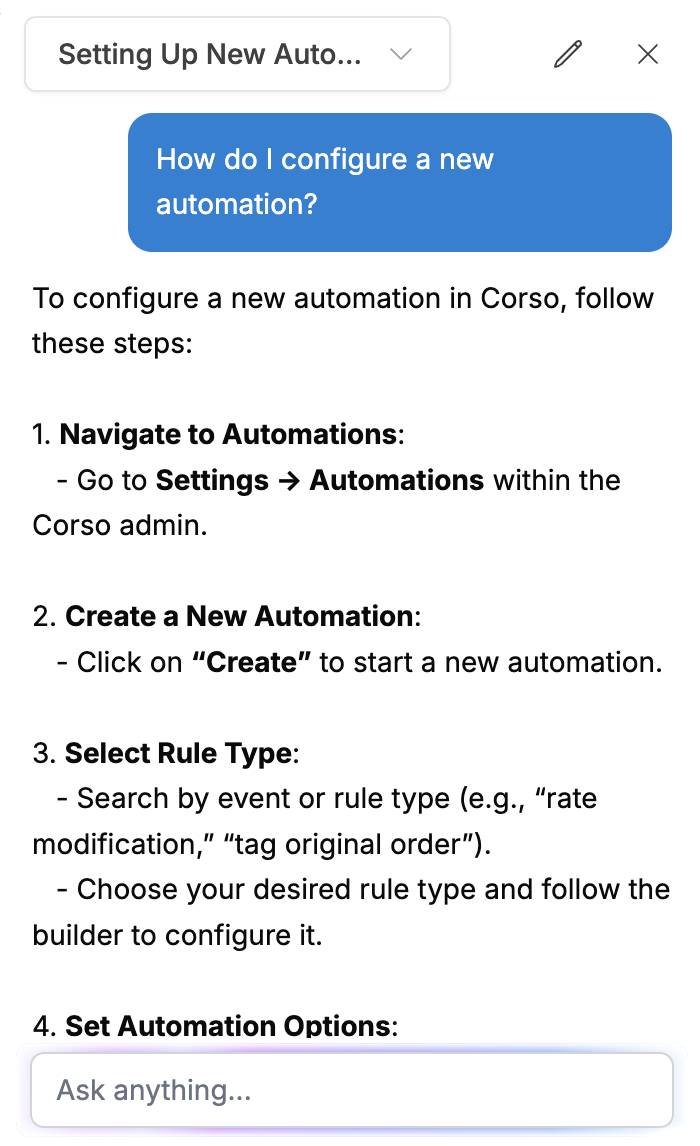
Sidekick lives right in the Corso admin, connected to all of Corso's documentation and your own post-purchase data. Sidekick remembers the whole conversation, so each question and answer builds on the last.

Platform Questions
Ask how to configure a feature, set up an automation rule, or troubleshoot an integration. Sidekick answers with step-by-step guidance and links to the relevant documentation, in context, while you work.
Metrics Queries
Ask for return rates, retention numbers, revenue figures, or claim volumes. Sidekick pulls from your analytics data and answers conversationally. Follow-ups refine the query: "What about just Q1?" "Break that down by product type."
Customer Success Reporting
Query CSAT scores from Corso Concierge interactions, shipping protection claim reviews, and team activity metrics, without navigating to separate reporting areas.
It keeps getting better. Every response carries a thumbs up/down and a comment field, and the AI & the Corso team actively monitors the feedback to improve accuracy. Sidekick is an evolving system, not a static chatbot.
Fraud and Risk Detection
Score your risk on every claim.
Claim Risk evaluates every claim that enters Corso, whether it's for returns, warranties, and shipping protection. It does so against seven signals, analyzed at your store and across the entire Corso merchant network. With millions of orders and countless claims, a fraud pattern seen anywhere protects everyone.
Email Activity Patterns
Tracks how often an email address files claims, at your store and across all Corso merchants globally. Unusually high claim frequency triggers elevated risk.
Device Fingerprinting
A high-reliability signal. Detects the same device filing claims under multiple email addresses or across multiple merchants. Devices are harder to spoof than emails, helping foil the fraudsters.
IP Address Analysis
Monitors IP patterns across accounts and merchants with datacenter, VPN, and known-malicious detection. Threshold adjustments account for legitimate shared networks like offices and universities.
Media Reuse Detection
Exact-match detection of photos and videos reused from previous claims anywhere in the Corso network. The same damage photo from a claim at another store six months ago gets flagged immediately.
Order Verification
Claims tied to verified Shopify orders score lower risk. Self-reported registrations score higher, while merchant-created claims, filed by store staff, can bypass risk detection entirely.
Shopify Platform Signals
Integrates Shopify's native fraud analysis as an input. A Shopify CANCEL recommendation immediately escalates the claim.
Advanced Fingerprint Analysis
Bot detection, AI-based suspect scoring, VPN and proxy detection with confidence levels, timezone mismatches between browser and IP geolocation, and datacenter IP identification.
Low
Safe to process automatically. Pair with auto-finalization for zero-touch claims.
Medium
Review recommended. Tag for team attention without stopping the flow.
High
Hold for investigation. Nothing advances until a human takes a look.
Some signals skip the scoring entirely. Media reuse, malicious bot detection, and a Shopify CANCEL recommendation flag the claim for manual review immediately, regardless of the overall score.
You set the policy; the system enforces it. Risk levels are conditions in the automation rules engine: auto-finalize Low, tag Medium, hold High. Once the automation is set, scoring runs on every claim with nothing to configure.
Smart AI Registrations
Painless, point-and-click registration.
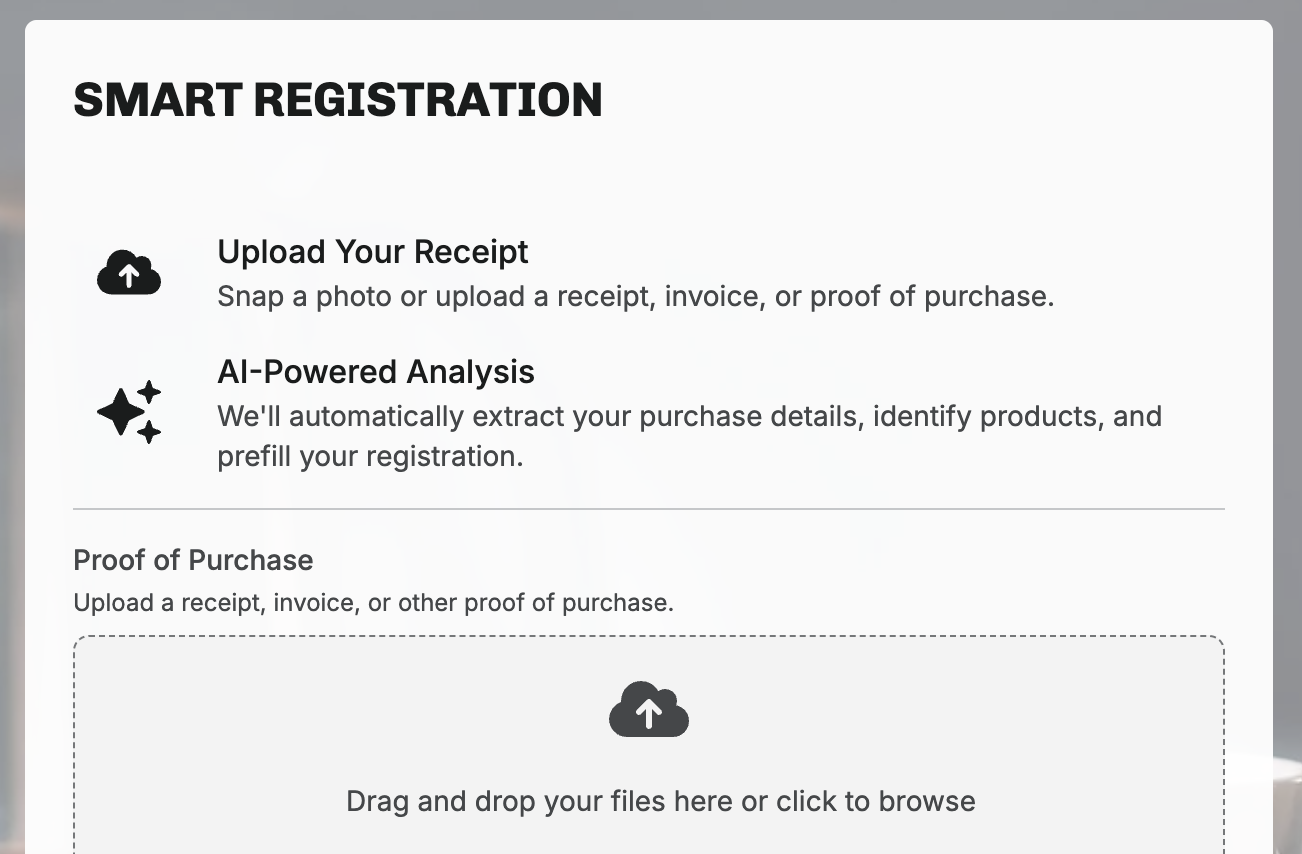
Product registration used to be a data entry form. Smart Registrations turns it into scan-and-confirm: the customer uploads a proof of purchase, and the AI does the rest.
Customer uploads proof
A photo of the receipt, invoice, or shipping confirmation. Any proof of purchase works.
AI extracts the details
Name, contact details, purchase location, and the items purchased, pulled straight from the image.
AI matches the catalog
Extracted items are matched to your products with confidence scoring. High-confidence matches surface first.
Customer confirms
One tap to confirm, a swap if the variant is off, or a manual search if the AI isn’t confident. No form-filling.
Validate how well it's working. The admin shows whether each registered product was added via AI suggestion or manually, so you have real visibility into match quality.
Enabled with a toggle. Turn Smart Registrations on from Settings and the registration flow gains AI. No configuration project, no integration work.
AI Exchange Recommendations
Smarter exchanges, assisted by AI.
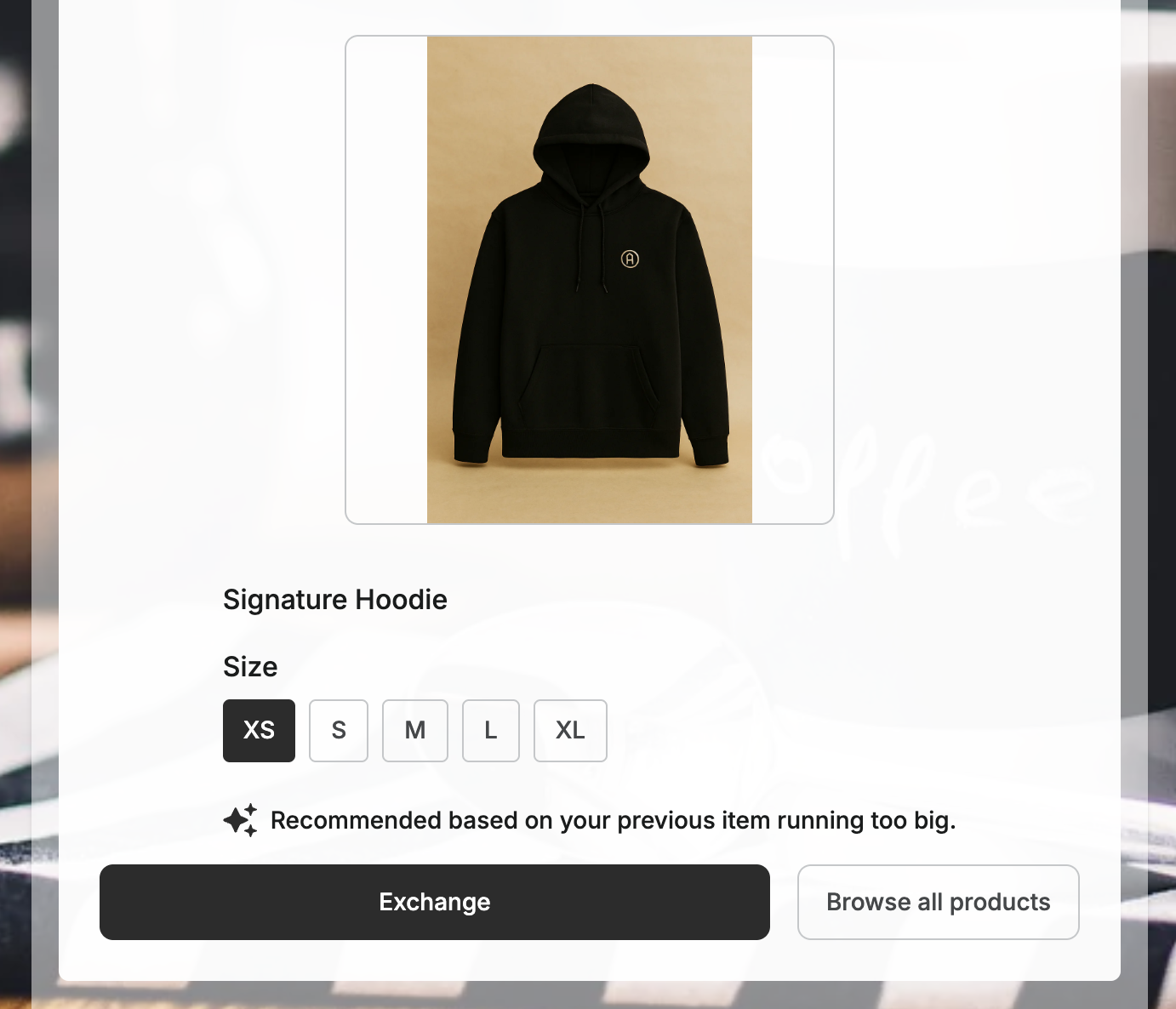
When a customer chooses an exchange, the hardest part is picking the right replacement, and a wrong guess sends them back to a refund. Exchange Recommendations pre-selects the variant most likely to satisfy, marked with a "Picked just for you" indicator. Every accepted suggestion is one more exchange kept instead of a refund.

How does the AI make a decision?
- The return reason and reason detail
- The original variant the customer bought
- Your store’s historical exchange patterns
- Product type and price-range similarity
Different returns, different logic.
Wrong item received
Recommends the same variant. The customer wanted what they ordered, and the system helps correct it.
Fit issues
Follows history. If 80% of customers returning a Medium exchange for a Large, the AI recommends Large.
Cross-product exchanges
Uses store-wide data to identify the most popular exchange item at a similar price point.
Visible to your team too. Support agents creating claims manually see a Recommended Exchange card with an AI badge and a tooltip explaining the method. The claim timeline records whether the customer accepted or changed it.
A learning loop, not a guess. Acceptance rates are tracked and fed back into the model. The system learns from what customers actually choose, store by store.
A/B Testing and Experimentation
Test before you commit.
Corso Intelligence is the experimentation layer: A/B test shipping and checkout decisions on a controlled segment before rolling them out to every customer.
Shipping rate experimentation
Through the Intelligems integration, create test groups that see different shipping prices, rate structures, or delivery promises at checkout. Measure conversion, order volume, and shipping revenue before committing.
Test group controls
Rate modifications in Shipping Plus can be scoped to specific test group IDs so different segments see different checkout experiences: delivery ranges, protection presentation, and pricing.
Checkout Plus experimentation
A/B test how shipping protection is presented at checkout. Experiment with everything from widget placement to messaging to price, and measure opt-in rates and revenue impact.
Example · shipping rate test
Group A
Standard Plus
$5.95 · 3–7 days
Group B
Standard Plus
$6.95 · 2–5 days
Platform Integration
AI that works where you do.
None of these systems is a separate tool with its own login. They're woven into the workflows and automation rules you already run.
Claim Risk feeds the automation engine
Risk levels are conditions in any automation rule. Auto-finalize Low-risk claims, route High-risk claims to manual review, tag Medium-risk for attention. The AI scores; the engine acts.
Automation rules →Exchange Recommendations learn from analytics
The model learns from historical exchange patterns stored in the analytics layer. The same data behind the returns dashboards powers the recommendations, and both improve with every exchange.
Returns dashboards →Sidekick queries the analytics layer
Instead of navigating dashboards, ask. Sidekick is the conversational interface to the same data the dashboards visualize.
Analytics & Reporting →Smart Registrations connect to warranties
Products registered via AI receipt processing flow straight into warranty eligibility. When a claim comes later, the AI-matched product determines windows and resolutions through the rules engine.
Warranties & Registration →