

Warranties & Registration
Your warranty program,
inside your platform.
Customers register their products and file warranty claims from your branded portal. Each claim runs through optional inspections, then resolves as a refund, replacement, repair, or store credit. Smart Registrations extract customer and product data from a receipt photo. All in the same place as everything else post-purchase.
The Reality
Is your warranty program an inbox and a spreadsheet?
You already know that warranty claims are different than returns. They happen weeks, months, or years after delivery and involve product defects, not purchase regret or size exchanges. And, product registration helps capture customers who bought through Amazon, retail, or a marketplace, helping you build a direct relationship with people you never would have gotten to know otherwise.

Understanding The Warranty Workflow Gap
A warranty claim is the customer telling you their product broke. They send photos and a serial number. You inspect, decide between refund, replacement, or repair, and have the option to ship the product out to a repair center. None of that fits in a return form.
Solving The Anonymous Buyer Problem
When a customer buys your product on Amazon, at a retail store, or through a distributor, you have no record of them. Product registration is the bridge. The customer registers, and suddenly you have a direct relationship with contact info and purchase history.
Disconnected Tools, Disconnected Experiences
A separate registration app that doesn't know about your warranty program. A warranty form that doesn't connect to your returns platform. Every disconnected tool is another vendor, another integration, and another surface where the brand experience breaks.
Warranties and registration deserve the same operational depth as returns.
Corso gives them a dedicated workspace, dashboards, and automation rules, all inside the platform you already use for everything else.
Warranty Claims
From claim to resolution
in a purpose-built workspace.
Warranty claims get their own workspace. Set warranty windows, build warranty-specific reason groups and custom fields, configure media requirements and inspections, then process the claims that come in with warranty-specific workflows.
Customer files claim
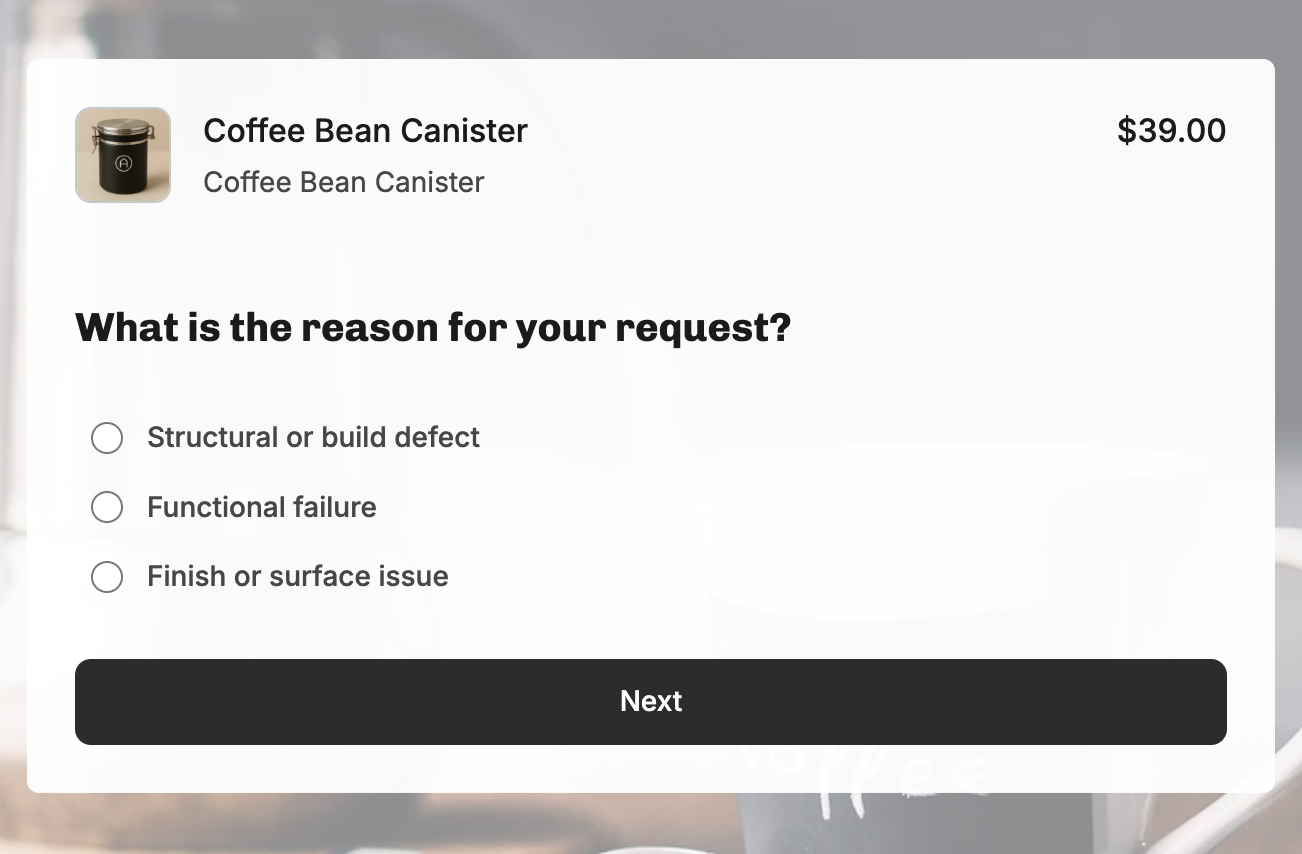
Customer selects a product from their order, picks a warranty-specific reason, uploads photos or video, and fills out custom fields configured for the product line.
- Warranty-specific reason groups
- Required photo and video uploads
- Custom fields by product line
- Files against an order or a registration
Claim enters workspace
The claim lands in a dedicated workspace. Warranty Summary, product details, customer media, and a claim risk score are all visible at a glance, alongside any prior claims from the same customer.
- Warranty Summary panel
- Customer claim history
- Cross-claim risk score
- Media gallery
Inspection
Configurable inspection questions, condition grades, internal notes, and photo requirements run before resolution. Inspections can fire automatically or be triggered manually by the reviewer.
- Configurable question sets
- Condition grading
- Internal notes and tags
- Photo and video capture
Resolution
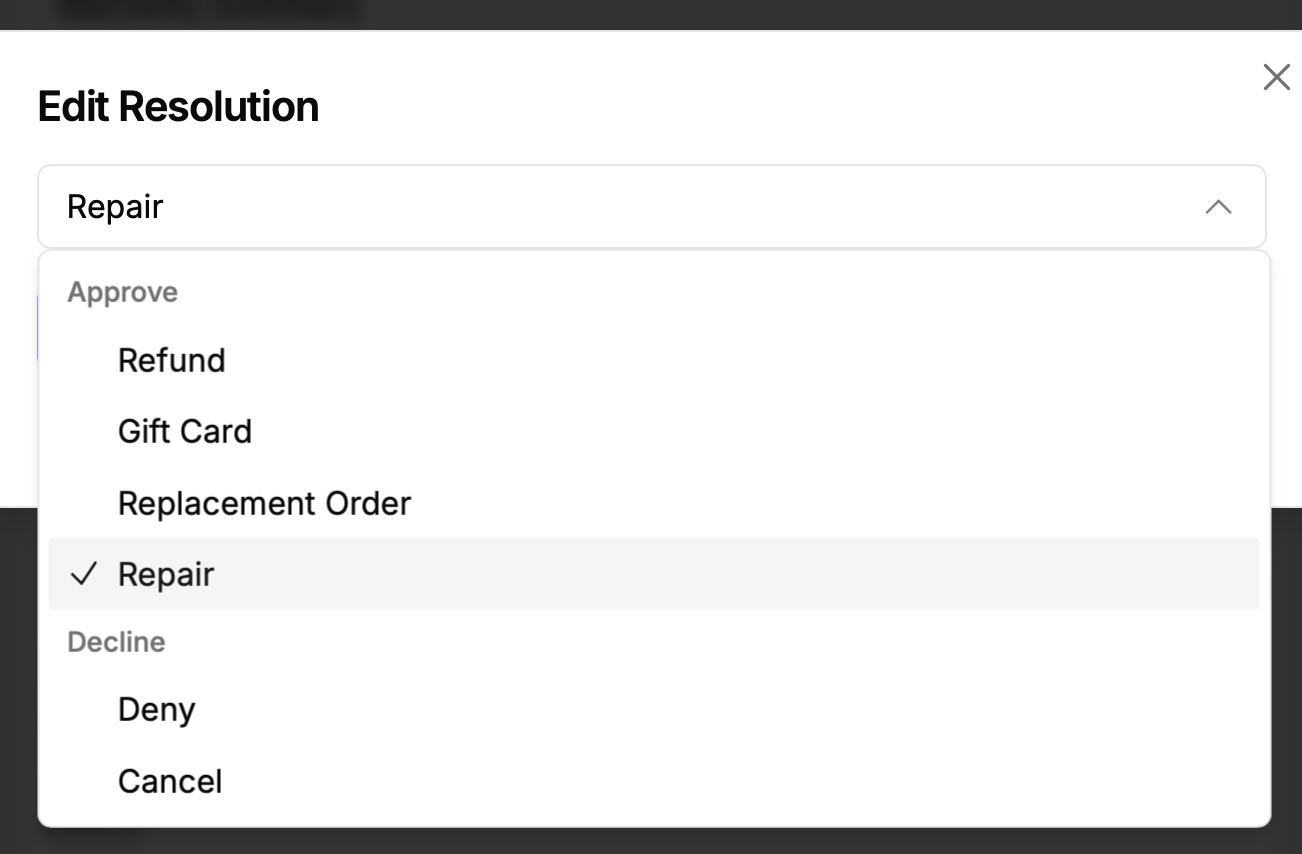
Five resolution paths are available: refund, gift card, replacement (with variant substitution), repair (with shipment generation), or deny. Fees and amounts are editable per claim.
- Refund or store credit
- Replacement with substitution
- Repair with shipment
- Deny with reason
Finalization
The resolution triggers automatically. The customer gets notified through your preferred provider, automations fire, and the full audit trail is preserved alongside the claim record.
- Automatic customer notifications
- Communication events fire
- Full audit log retained
- Tags and metadata preserved
Five resolution types, one workspace. Warranty claims support refund, gift card, replacement (with product substitution), repair (with shipment generation to repair centers), and deny. Each resolution can be edited before finalization. The same claim workspace handles inspection results, customer media, claim risk scoring, and fee adjustments.
5
Resolution types for warranty claims
3+
Registration sales channels supported
1
Platform for warranties, returns, editing & protection
Repair Workflows
Treat repair as a resolution,
not an afterthought.
For brands that fix products instead of replacing them, repair is often the most valuable resolution. Corso supports it directly: shipment generation, multiple repair locations, and a communication event via Sendlane, Klaviyo, etc. for each shipment milestone.
Customer opens warranty claim
During claim filing, customers indicate a problem that might be repairable. Claims are auto-tagged "Repair Requested" for routing.
Merchant selects Repair
In the claim workspace, Repair is selected as the resolution. The claim stays active through the repair process.
Shipment generated
Corso generates a shipment to the repair center. Multiple repair locations are supported for regional networks.
Repair tracking
Shipment events trigger customer notifications. The customer stays informed throughout the repair lifecycle.
Repair is about sustainability and economics. When repair is the right option, make sure your post-purchase platform treats it that way.
For brands with lifetime warranties or high-value products, repair is the most economically rational resolution, and the one environmentally conscious customers prefer. Corso is the only post-purchase platform that supports it natively.
Product Registration
Know every customer,
regardless of where they bought.
When a customer buys your product on Amazon, at a retail store, or through a distributor, you lose the direct relationship. Product registration introduces them to you. Corso's registration system captures customer information, purchase channel, proof of purchase, and custom data, then ties that record into your warranty program and makes the customer available to your marketing after they opt-in.

Product Rules & Groups
Define which products are eligible for registration using product groups based on tags, types, and collections. Not every product needs registration. You control the scope.
Dedicated Registration URL
A brand-specific URL for your registration form. Usable on packaging, in product inserts, on your website, or in post-purchase emails. Direct link to the Corso registration experience.
Registration Sales Channels
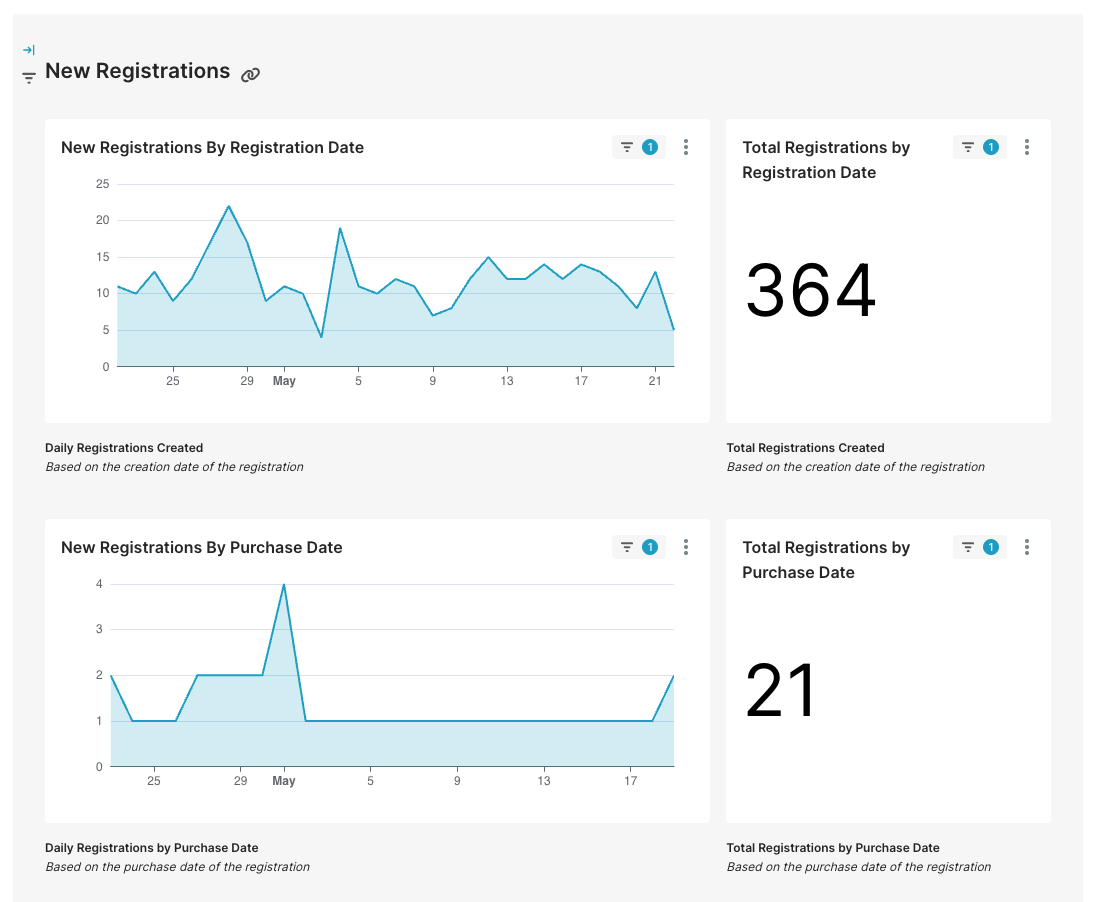
Capture where the product was purchased: Amazon, retail, DTC, or a marketplace. Feeds into Registration Dashboards for channel-mix analysis and acquisition insights.
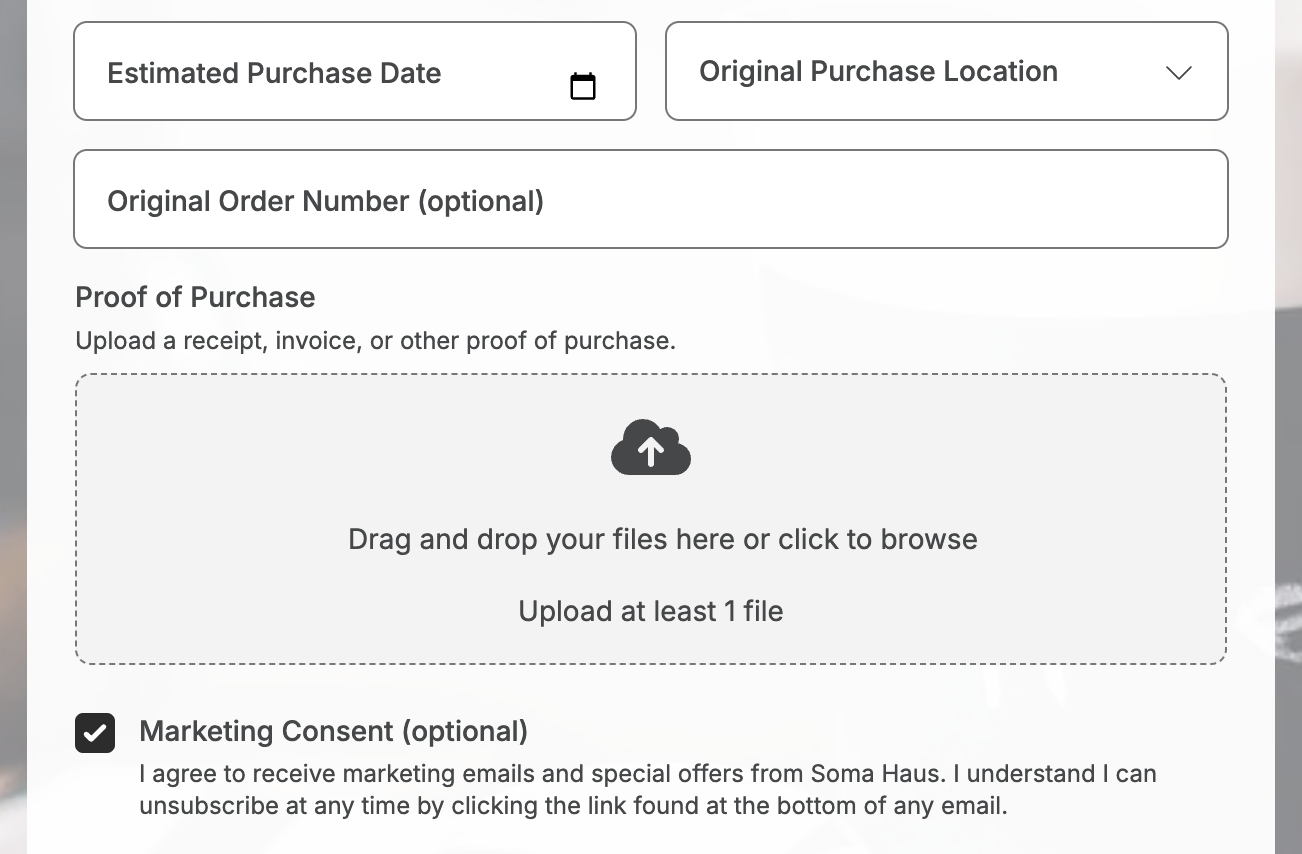
Proof-of-Purchase Collection
Require or optionally collect receipts during registration. Validates the purchase and provides purchase date for warranty window calculation.
Custom Fields & Data Collection
Address, phone, purchase date, serial numbers, opt-in checkboxes. Same field types as warranty custom fields. Configure what's required, optional, or hidden.
Marketing Consent Collection
Capture explicit email opt-in during registration and pass consent to Klaviyo. Registration becomes a compliant list-building mechanism for non-DTC customers.
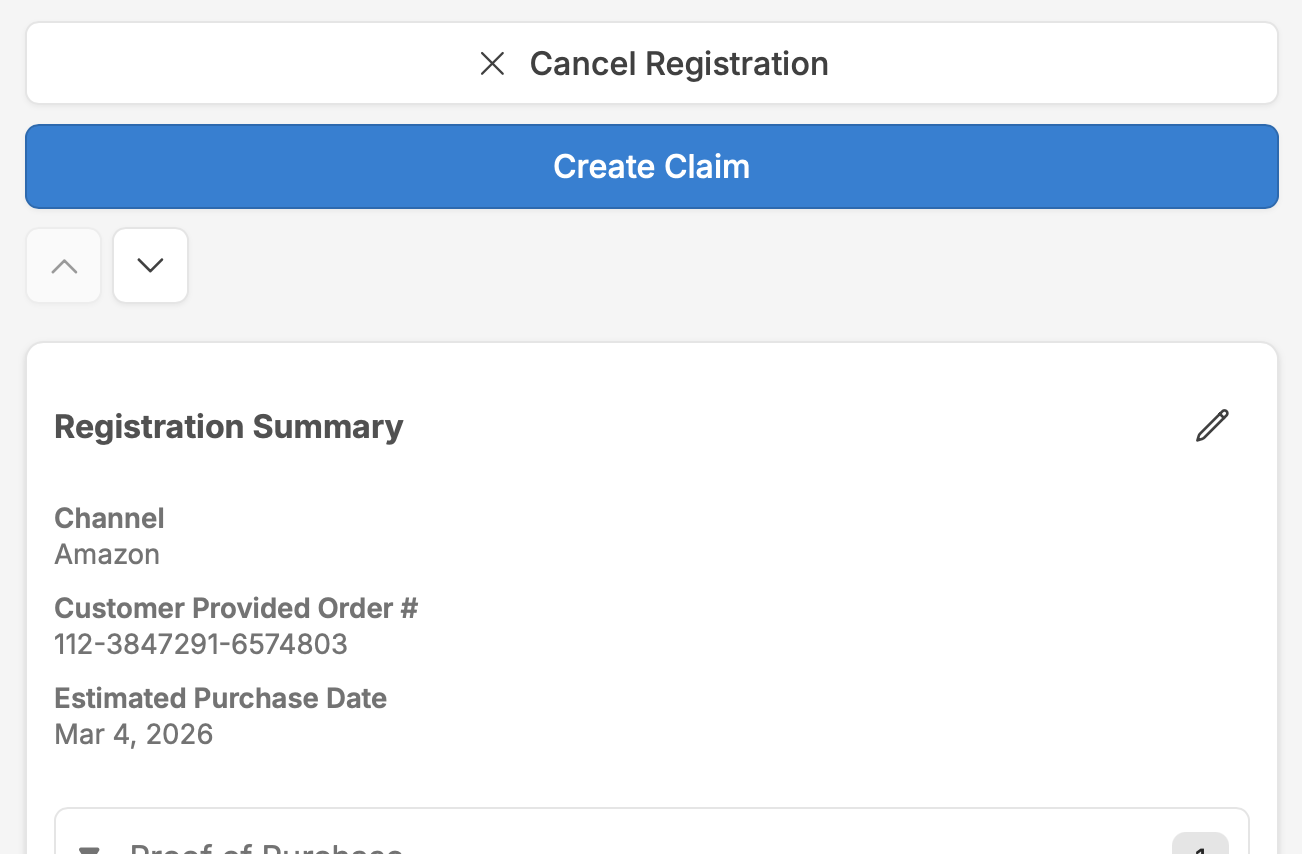
Register now, claim later. When a customer completes registration, the success page can optionally surface a "File a Warranty Claim" action, letting them start a claim immediately if they're registering because of a defect. For customers registering proactively, the record stays connected: when they need warranty service later, their data (product, purchase date, serial number, proof of purchase) is already on file. Merchants can also create warranty claims directly from any registration record.
Smart Registrations
Upload a receipt.
Registration does the rest.
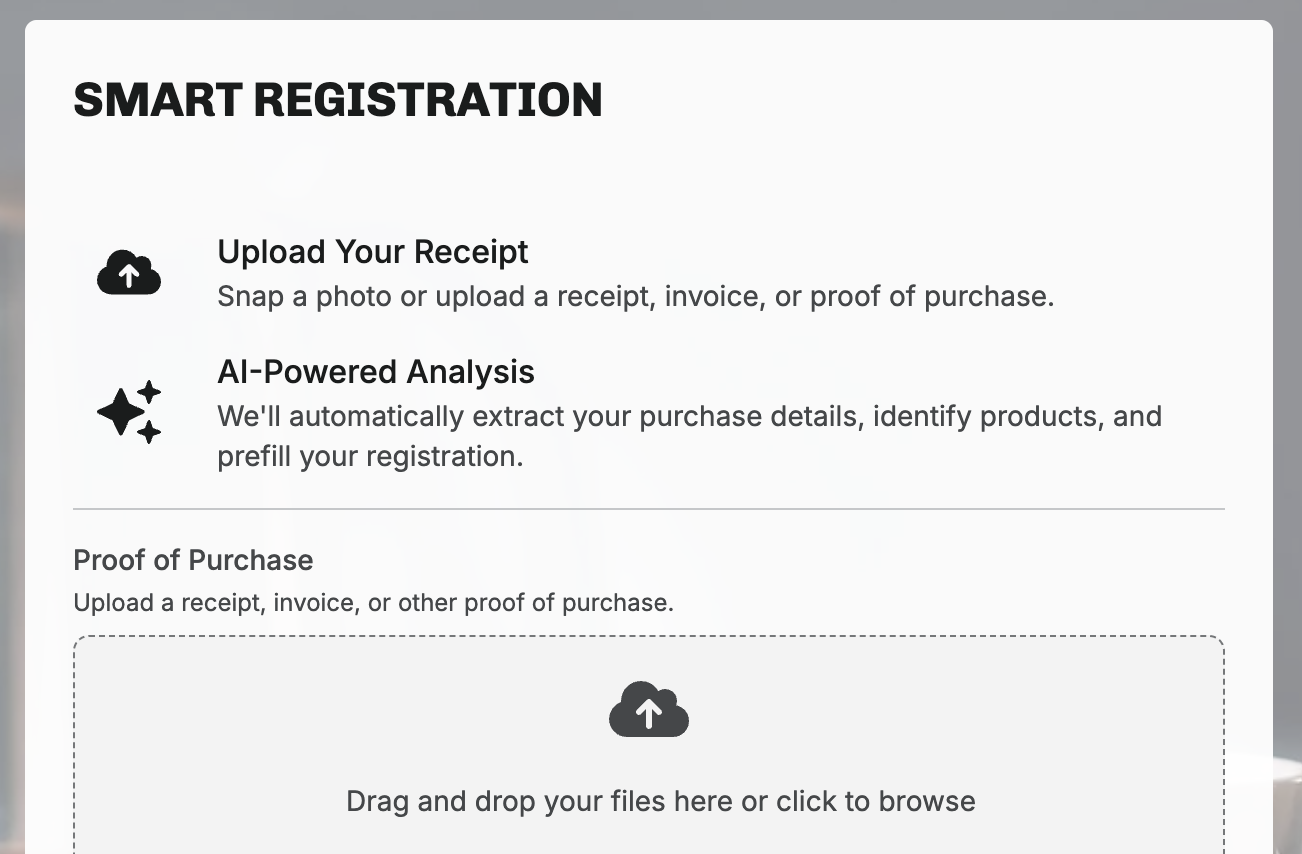
Smart Registrations turn a receipt photo into a completed registration form. The customer uploads an image of their receipt from any channel or retailer, and Corso's AI extracts customer name, contact info, purchase location, and line items. What used to be a multi-field form becomes a camera snap and a confirmation.
Friction kills registration rates. Every field on a registration form is a reason to abandon. Smart Registrations cut the process to two actions: take a photo, confirm the result. At scale, that means more completed registrations and more customers you can reach directly.
- Search for your product
- Select size / variant
- Enter your name
- Enter your email
- Enter purchase date
- Select purchase channel
- Enter serial number
- Upload proof of purchase
- Upload receipt photo
- Confirm AI-extracted data
Behind the scenes
- AI extracts: name, contact, store, products, date
- AI matches products to your catalog
- High-confidence auto-suggestions
- Manual search fallback if needed
Opt-in and transparent. Smart Registrations is a feature merchants turn on when they're ready. The admin tags each product in a registration as AI-matched or manually added, so the team can see which products the AI got right and which needed a human.
Operations
The same automation engine. Dedicated dashboards.
Warranty claims and registrations run on the same rules engine as returns, with the same conditions library. Auto-approve a low-risk warranty under $50. Require an inspection when the reason is "motor failure" on the flagship product. If you've built rules for returns, warranties work the same way.
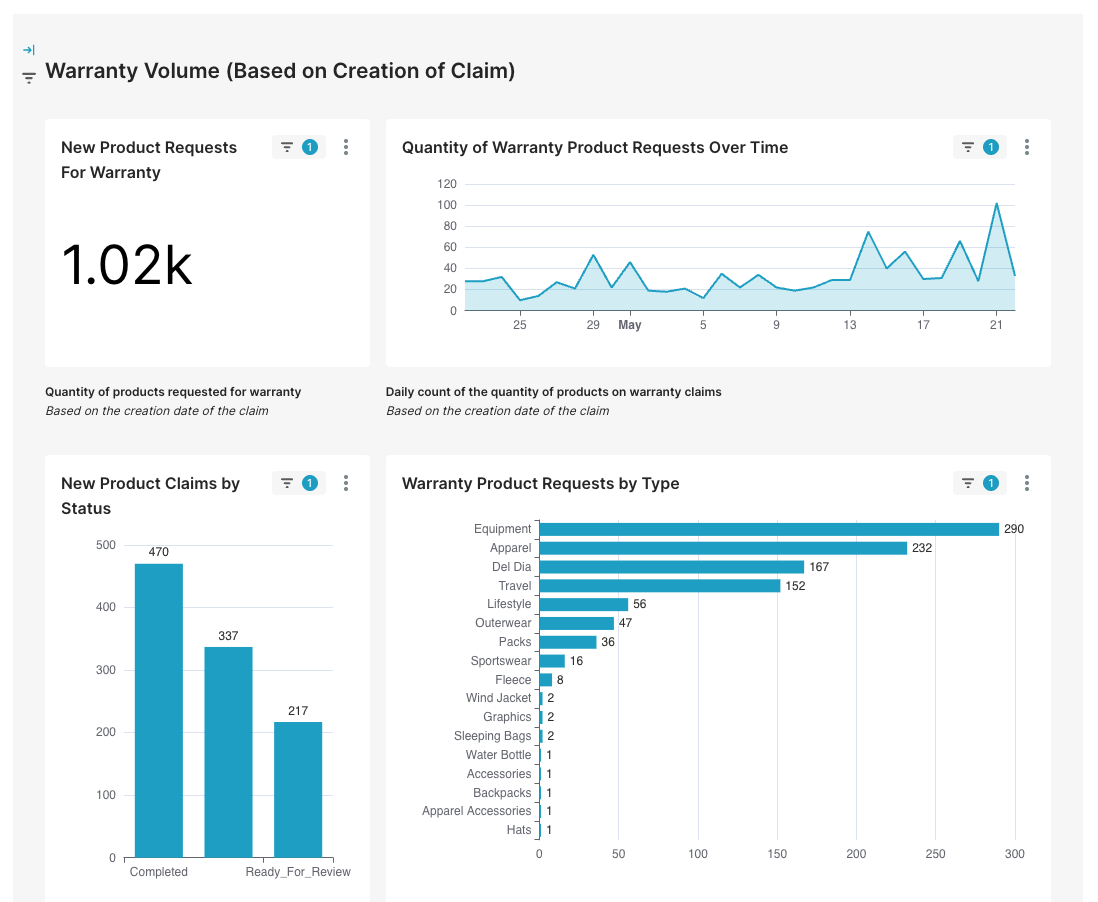
Analytics live in dedicated dashboards. Warranty Operations, Overview, Products, and Reasons cover claim volume, resolution mix, and defect rates. Registration Dashboards break out purchase date, sales channel, top products, and warranty conversion.
Claim Risk runs in the background, scoring fraud signals across email, device, IP, and media. Flag suspicious claims, filter the workspace, and export to CSV.
Connected to your stack
Platform
Your warranty and registration program,
inside the platform you already use.
Standalone warranty apps solve one problem at a time. A registration form here. A claim portal there. A repair tracking spreadsheet somewhere else. Corso's warranties and registration are built into the same platform you already use for everything post-purchase: the same portal, automation engine, customer experience, and admin.
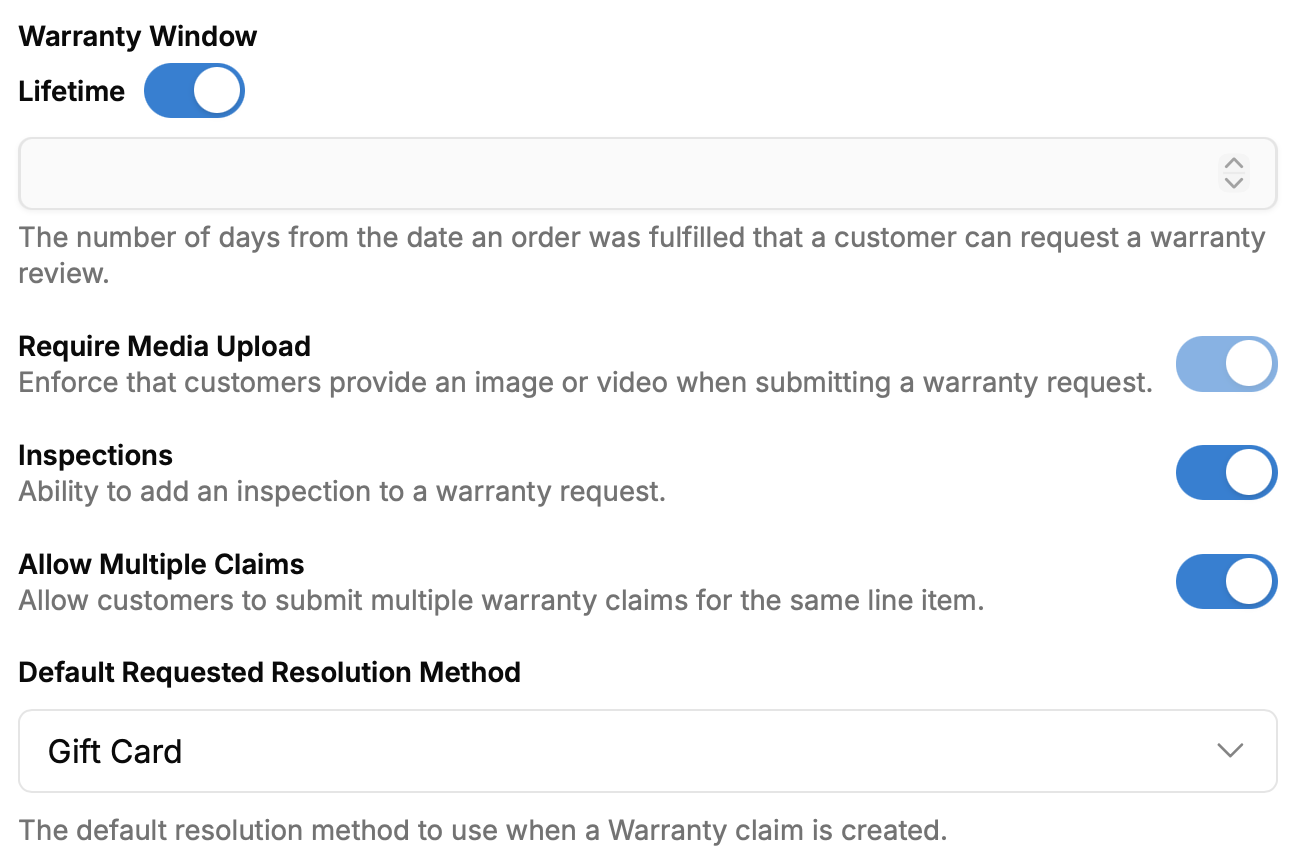
Warranty Windows
Fixed-term (30 days, 1 year, 5 years, etc.) or lifetime warranty eligibility. Controls how long after purchase a customer can file.
Warranty-Specific Reasons
Warranty reasons configured separately from return reasons. Same product, different reasons for returns vs. warranties.
Custom Fields
Collect serial numbers, defect descriptions, purchase dates. Text, number, date, single-select, and multi-select types.
Media Requirements
Require photo or video uploads for warranty validation. Media appears alongside inspection results in the claim workspace.
Claim Inspections
Configurable inspection questions, grades, notes, and photo requirements. Triggered automatically or manually.
Multiple Claims per Item
Allow more than one warranty claim against the same line item. Essential for multi-component products.
- Registration app (Vendor A)
- Warranty form (Vendor B or email)
- Repair tracking (spreadsheet)
- Returns platform (Vendor C)
- 4 systems, no data connection
- Customer uses 3+ portals
- Registration with sales channels
- Warranty claims with 5 resolution types
- Repair workflows with shipment tracking
- Returns, exchanges, and order editing
- 1 platform, connected data
- Customer uses 1 portal
Continue Exploring
Keep going. There's lots more to see.
Returns & Exchanges
Revenue-retaining return workflows, exchange incentives, and automation.
Order Editing
Self-service address changes, cancellations, and editing windows.
Shipping Protection
Delivery guarantees, claims resolution, and the revenue model that funds it.
Self-Service Portal
The unified portal where warranties, returns, editing, and tracking all live.
Let's Talk
Your warranty program deserves more than a Google Form.
Book a demo to see warranties and registration configured for your products, your warranty policy, and your registration channels, all inside the platform you already use.