

Order Editing
Let customers edit their order
before it becomes your problem.
Let them manage it all: address changes, cancellations, shipping upgrades, quantity changes, discount codes, protection removal, and email corrections. Whew! All handled by the customer before fulfillment starts. Corso collects incremental payment, issues refunds or store credit, and keeps Shopify in sync.
The Reality
Some tickets should never be tickets.
Customers notice mistakes while the confirmation page is still open. That is the moment to offer a branded edit path before the warehouse, 3PL, or fulfillment software starts moving the order forward.

Address Change Tickets
High volume
Address corrections are one of the highest-volume post-purchase requests. Every address correction that gets handled after fulfillment becomes a failed delivery, a reshipment, or a lost package. Self-service editing lets customers fix their address while the order is still editable.
Cancellation Requests
Time sensitive
Cancellation requests spike immediately after checkout with impulse regret, duplicate orders, and wrong variants. When cancellation requires a support ticket, the order may ship before the ticket is even read. Self-service cancellation resolves it instantly.
The Support Tax
Avoidable cost
Each ticket costs agent time, staffing, and customer satisfaction. A 30-second self-service edit is faster, cheaper, and more satisfying than a 24-hour support ticket round-trip. The tickets that never get created are the ones that improve your business the most.
The problem isn't that your team can't handle order changes, but they shouldn't have to. Corso lets customers make eligible edits themselves, before the order ships.
How It Works
Four steps. Zero tickets.
Order editing lives inside the Corso customer portal. The customer looks up their order, makes their change, and the update syncs directly to Shopify. No app switching, no agent involvement.
Customer finds order
Via the Corso portal on your store, or the thank-you page link.
Edit options appear
If the order is within the editing window and meets your rules.
Customer makes change
Updates address or cancels the order. One click to confirm.
Syncs to Shopify
The change updates in Shopify immediately. No ticket created.
The shift: instead of routing simple changes through your support queue, Corso puts the editing controls in the customer's hands using the same rules engine that governs your returns and warranty policies. You stay in control; the customer does the work.
30s
Average self-service edit time
0
Tickets created per self-service edit
1
Portal for editing, returns, tracking, and warranties
Customer Experience
Seven edit types.
One customer flow.
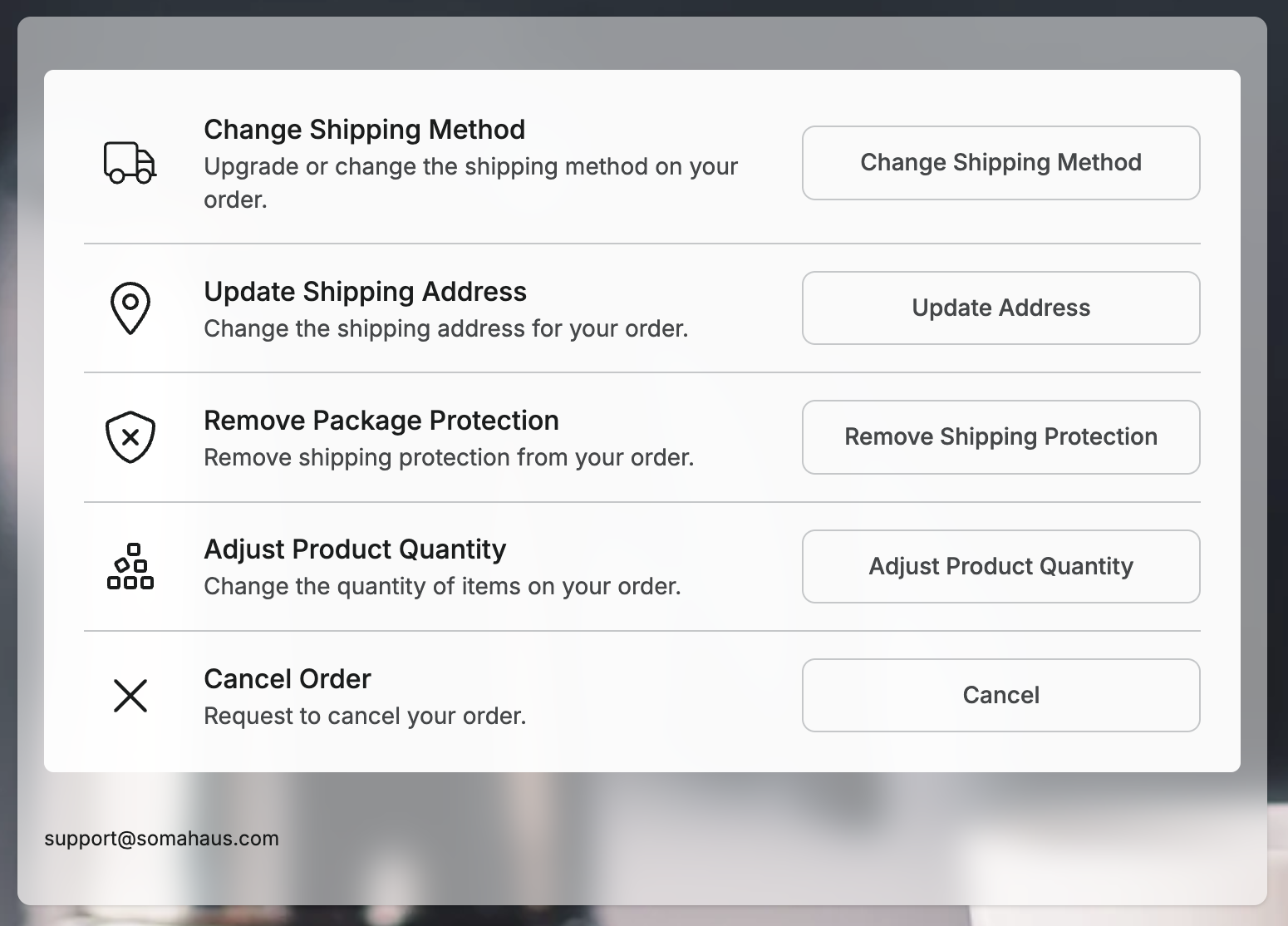
Corso supports the highest-volume pre-shipment editing use cases. Each has its own flow, its own rules, and its own customizable messaging.
Protection
Remove Protection
Give customers a one-click way to remove shipping protection before fulfillment.
Customer
Update Email
Allow email corrections without routing a simple typo through your support queue.
Items
Adjust Product Quantity
Let customers increase or decrease quantities when your rules allow it, including automatic collection or refund handling.
Shipping
Change Shipping Method
Offer upgrades from standard to expedited or priority shipping, then collect the price difference through checkout.
Discount
Apply Discount Code
Let customers apply an eligible discount code after checkout when your rules make that option available.
Cancel
Cancel Order
Let customers cancel qualifying orders immediately instead of waiting for support to catch the request.
Address
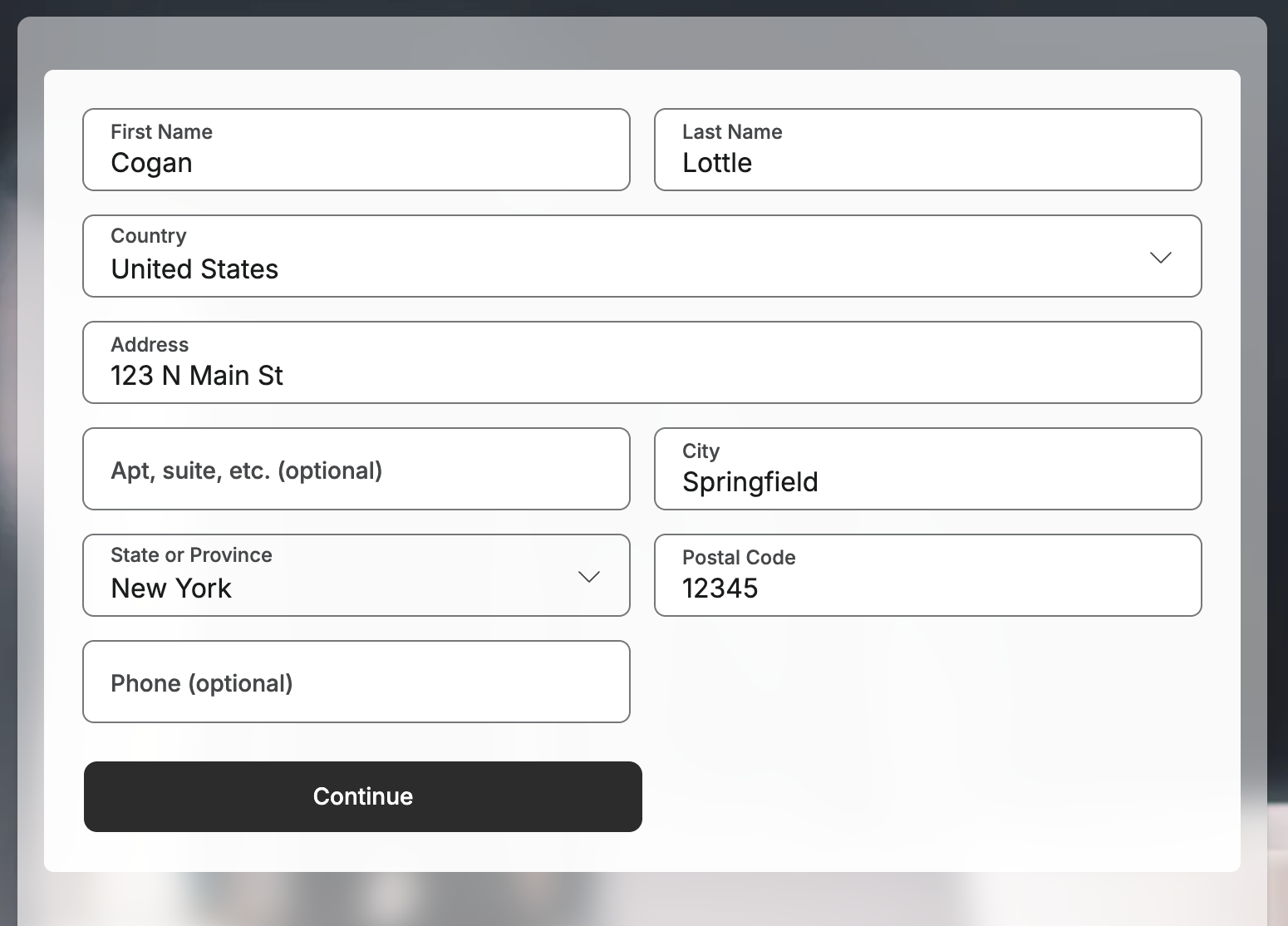
Update Shipping Address
Customers can correct shipping details while the order is still inside the editable window.
Collect Additional Payment
If the edit increases order value, Corso routes the customer back to checkout to pay the difference before the change is finalized.
Refund or Store Credit
If the edit decreases order value, merchants can refund the original payment method or issue store credit.
Protect Fulfillment Timing
Temporary fulfillment holds and order tags tell downstream systems not to process the order while edits are still pending.
Every word is yours. Section titles, descriptions, confirmation messages, success messages, and expired-window text are all merchant-controlled. The customer sees your brand's voice, not Corso's.
Controls
Set the rules. Skip the extra app.
Order edits are powered by the same automation rules engine that handles your returns. Define the window, set cancellation and address rules, and surface them inside the same Corso portal customers already use for tracking, claims, and returns.

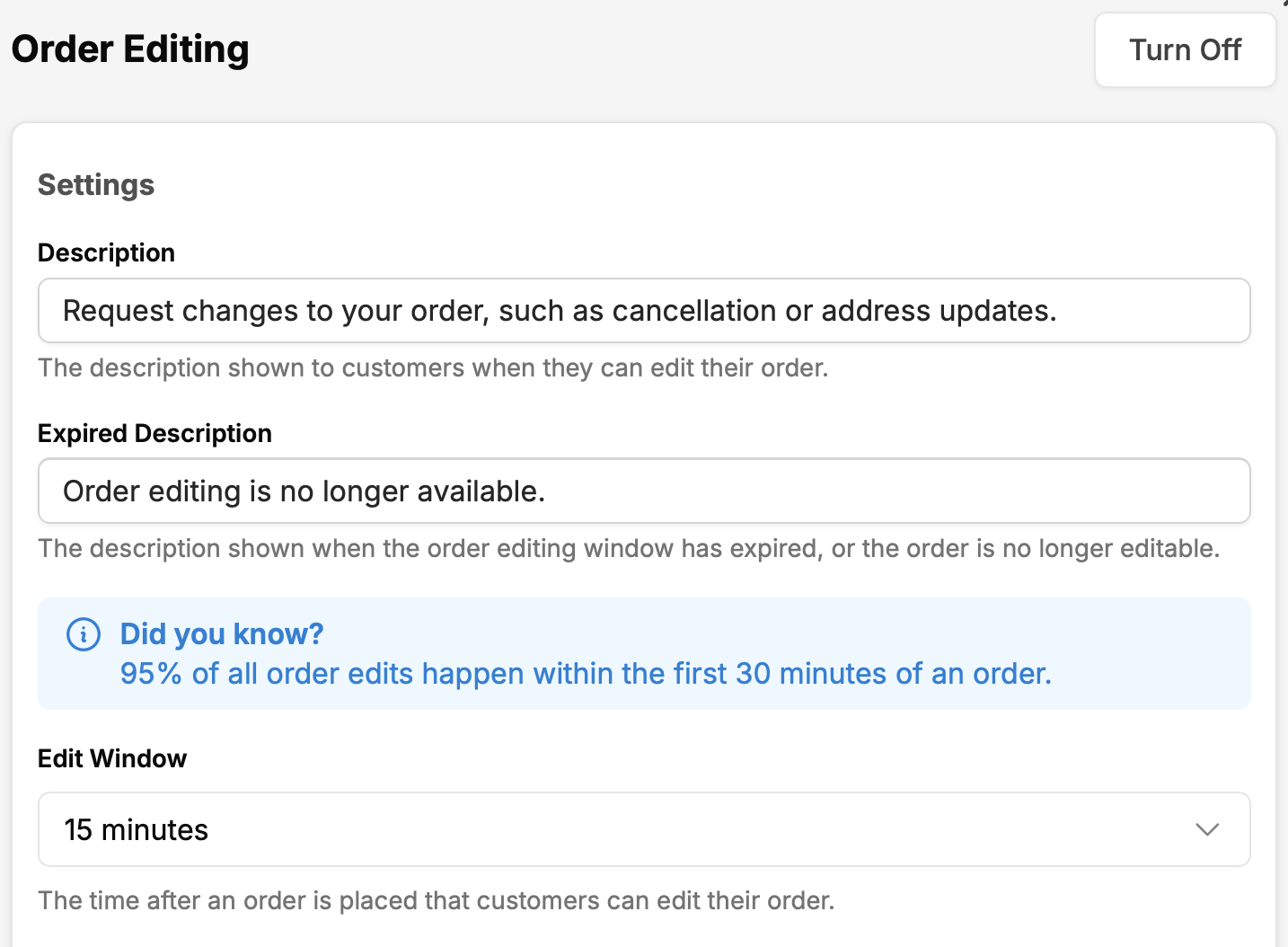
Configurable Edit Window
Set how long after purchase customers can edit an order. Tune the window to your warehouse pick process, from a tight post-checkout window to a longer review period.
Payment and Refund Handling
Choose whether refunds go back to the original payment method or store credit, and collect added charges through checkout when an edit increases the order total.
Fulfillment Hold Rules
Enable temporary fulfillment holds, choose the hold duration, and apply a Shopify tag that 3PLs, WMS tools, and fulfillment software can respect.
Order Edit Automations
Create rules for address changes, cancellations, shipping method changes, quantity edits, package protection removal, email updates, and discount codes.
Abandoned Edit Recovery
If a customer starts an edit that requires payment but never completes checkout, Corso can revert the edit and remove the hold when time expires.
Customer-Facing Messaging
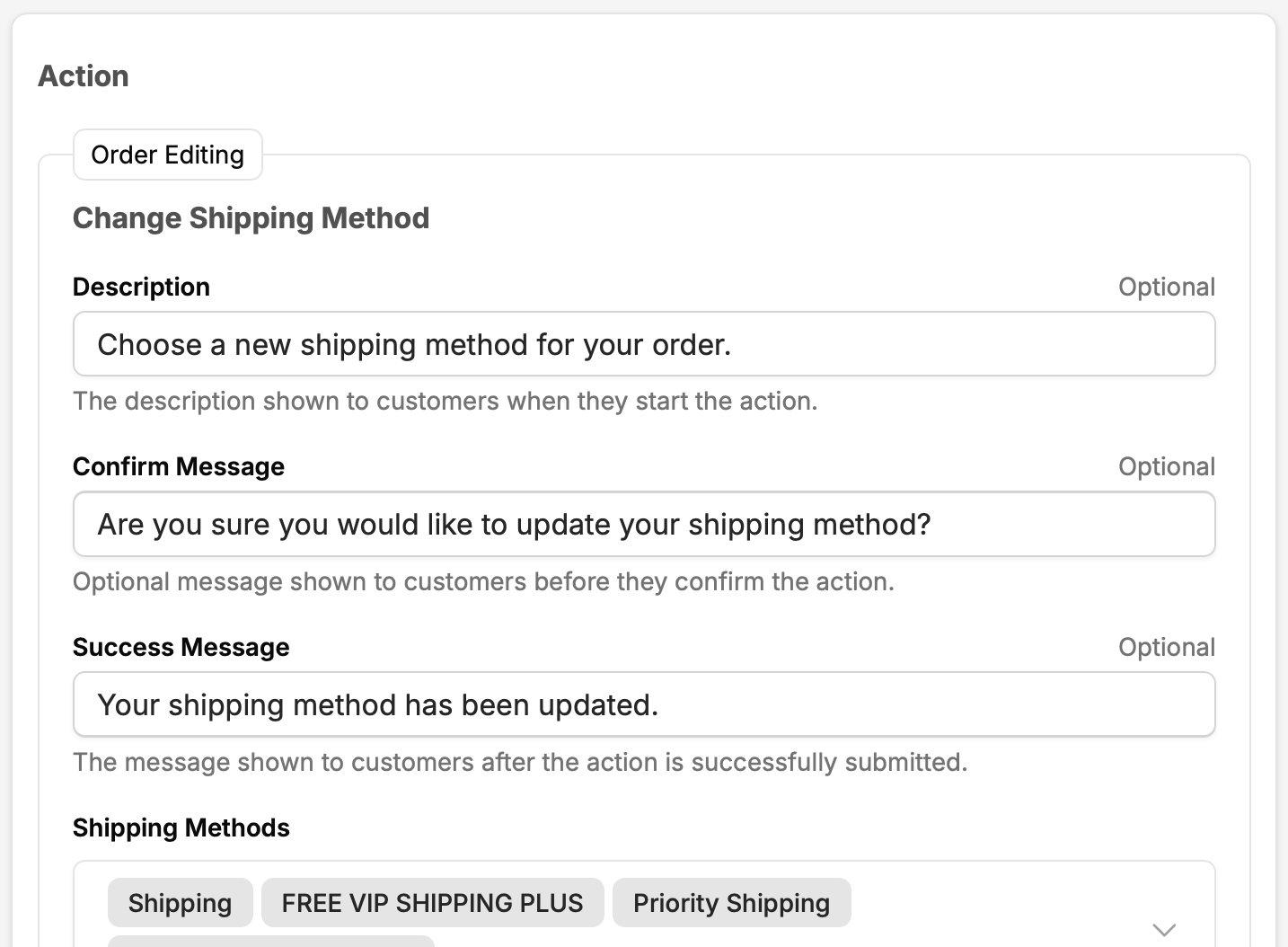
Customize section descriptions, button labels, confirmation text, success messages, and expired-window messaging for each edit flow.
Customers find these controls in the Corso portal they already use for tracking. A native Shopify thank-you page extension drops an "Edit Order" prompt directly into checkout confirmation, the moment address mistakes and second thoughts surface.
Platform
Order editing without
another app.
Dedicated order editing apps solve one problem well. But they create another: another vendor, another integration, another customer-facing surface that doesn't match the rest of your post-purchase experience.
- Returns tool (App A)
- Order editing app (App B)
- Tracking tool (App C)
- 3 integrations to maintain
- 3 billing relationships
- 3 customer-facing surfaces
- Returns, exchanges, and editing
- Tracking and shipping claims
- Warranties and registrations
- 1 integration
- 1 billing relationship
- 1 branded portal
Order Edit on Thank-You Page Extension
A Shopify app block the merchant adds to their checkout thank-you page template. Configurable title text, description text, and a link to the portal. The extension lives inside the merchant's existing checkout flow. It's not a redirect or popup, since it's built as a native Shopify checkout extension.
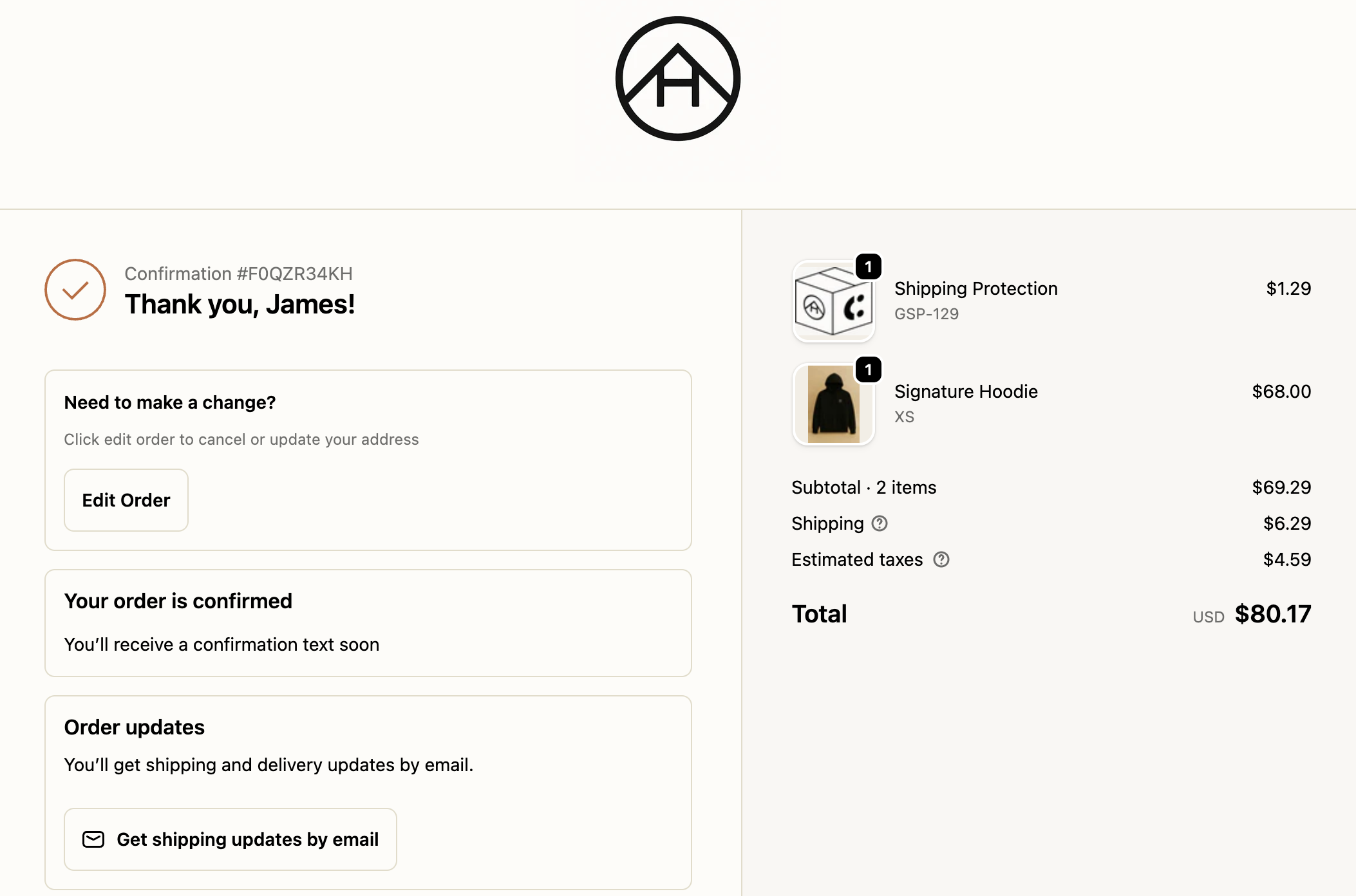
The right moment matters.
Post-checkout is when address mistakes are discovered, when impulse purchases are reconsidered, and when "I ordered the wrong size" becomes a thought. Surfacing the editing option at this exact moment, before the customer has to search for a support email, is the difference between a self-service edit and a support ticket.
Continue Exploring
Keep going. There's lots more to see.
Returns & Exchanges
Revenue-retaining return workflows, exchange incentives, and automation.
Shipping Protection
Delivery guarantees, claims resolution, and the revenue model that funds it all.
Warranties
Product registration, warranty claims, and repair workflows.
Concierge
US-based CX team handling tickets under your brand.
Let's Talk
Every day without self-service editing means more tickets in the queue.
Book a 30-minute demo. We'll show you how order editing works alongside returns, tracking, and warranties, all in one platform, with numbers specific to your brand.